 Zency Scan
- Open the document
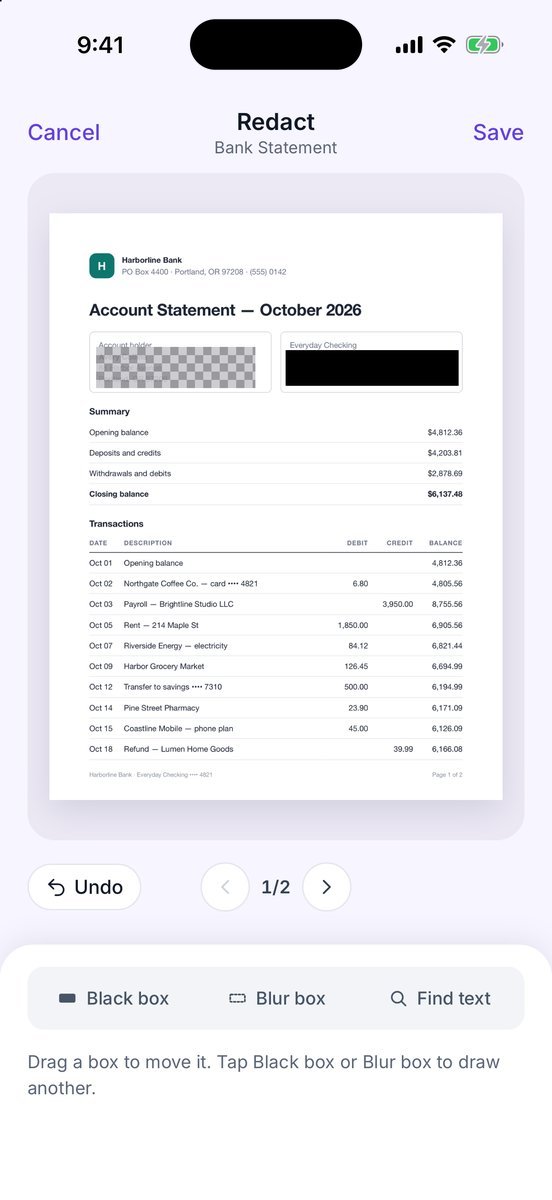
Open it and tap Redact.
- Cover an area
Choose Black box or Blur box and drag on the page. Drag a box to move it; Undo and Remove fix mistakes.
- Or find text
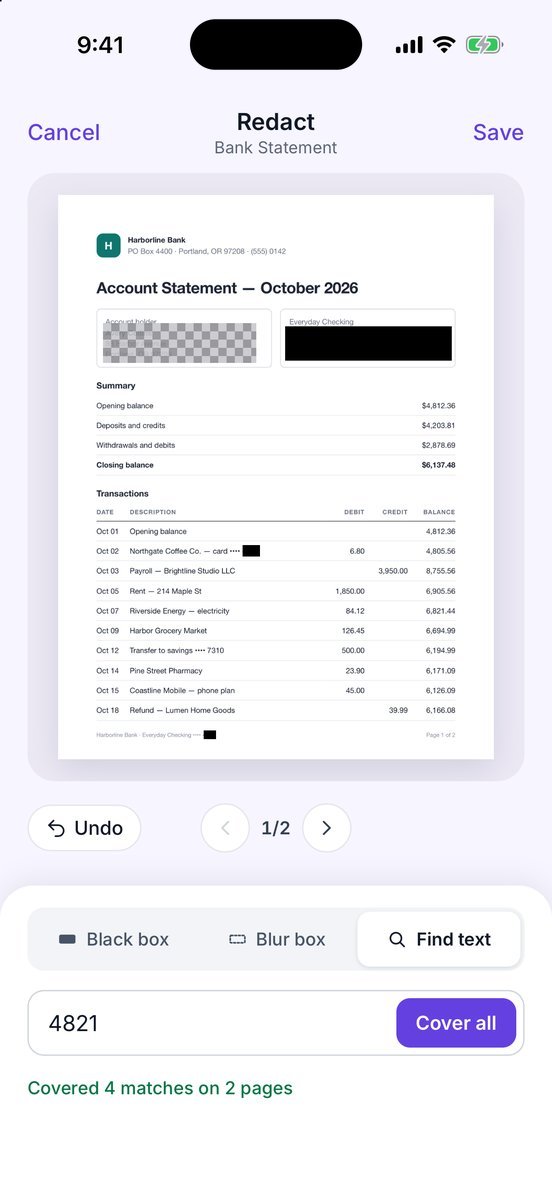
Tap Find text, type a number or a name, and tap Cover all — e.g. Covered 4 matches on 2 pages.
- Save
Tap Save. A new document named Redacted … is created; the original stays untouched in your library.
More screens
Tips
- Share the redacted copy, not the original — check the name before sending.
Free or Pro? This is a Pro tool. It is included while you add your first 20 pages, so you can try it on a real document; after that it needs Lifetime Pro ($7.99 once, no subscription).
See it in a real situation: Renting an apartment? Put your rental application together on your phone.