1
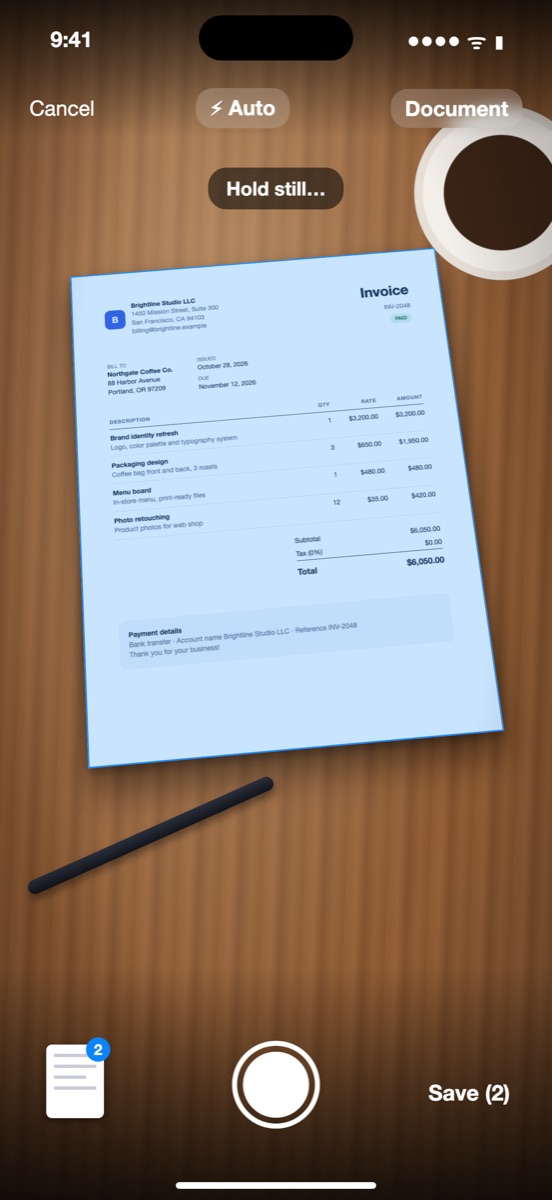
Scan
Point your camera at the page. Edges are found for you, the shot is taken when it is steady, and the page is cropped and flattened. Keep going for multi-page documents.
Turn paper into searchable PDFs in five steps, with text recognition on your phone. Free to scan and export, no watermark, no account — nothing leaves your device unless you share it.
iPhone, iPhone Duo and Android · First 20 pages with every Pro feature
Point your camera at the page. Edges are found for you, the shot is taken when it is steady, and the page is cropped and flattened. Keep going for multi-page documents.
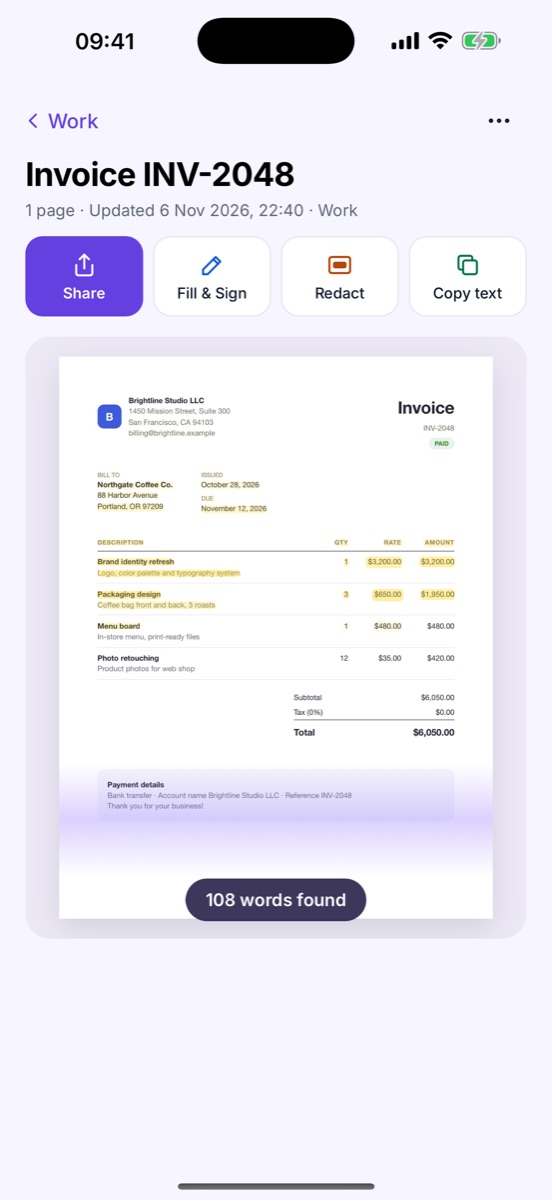
A soft light sweeps across the page as every word is recognized — on the device, in about a second. Then copy any text, tap an email, phone number or address.
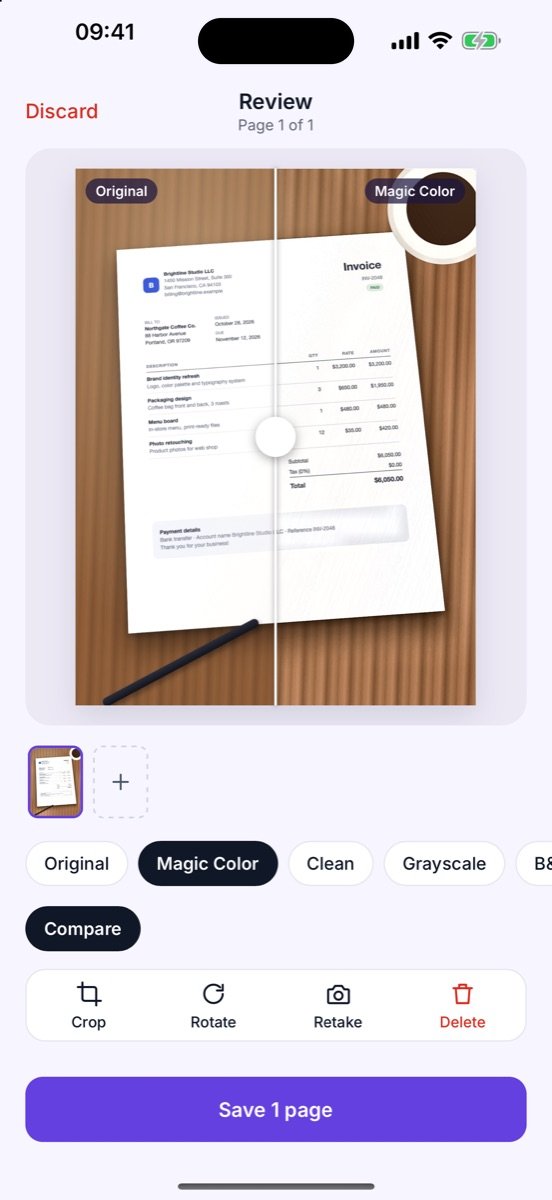
Drag the slider to compare the original photo with the cleaned-up scan. Magic Color, Clean or Grayscale — pick what reads best.
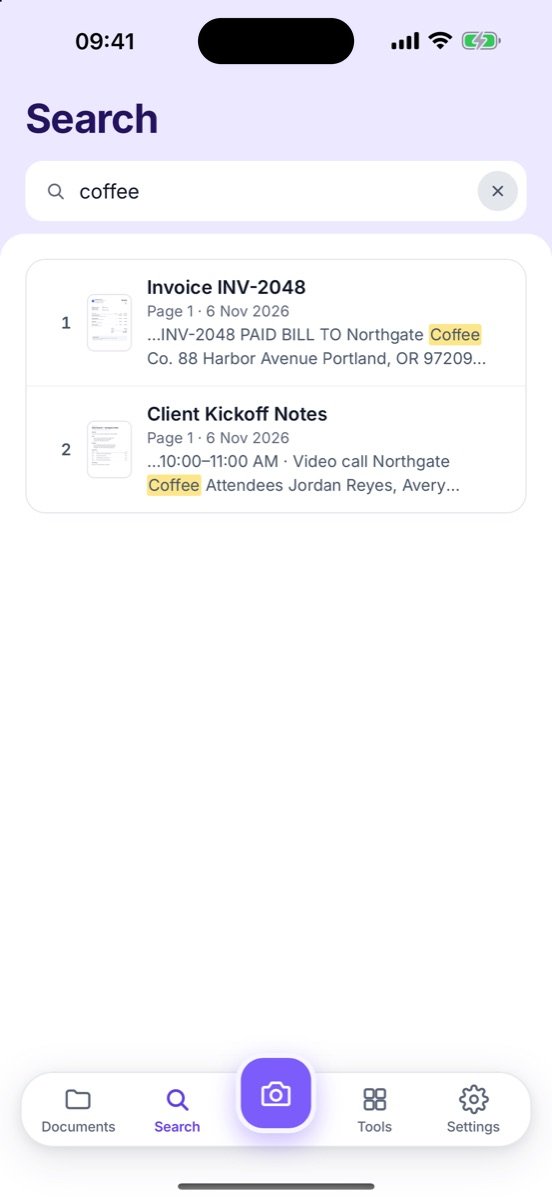
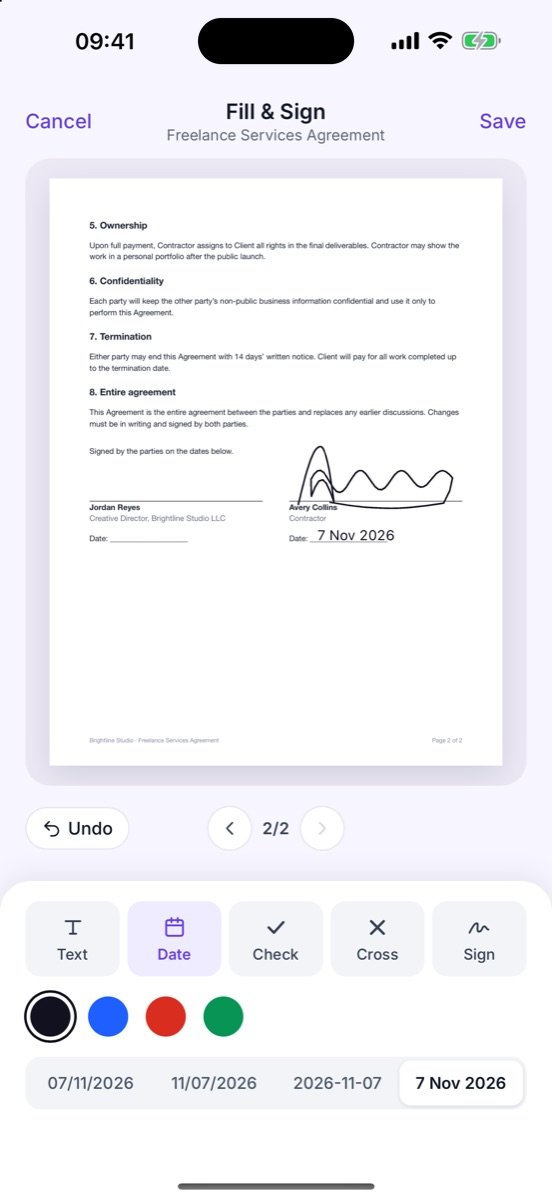
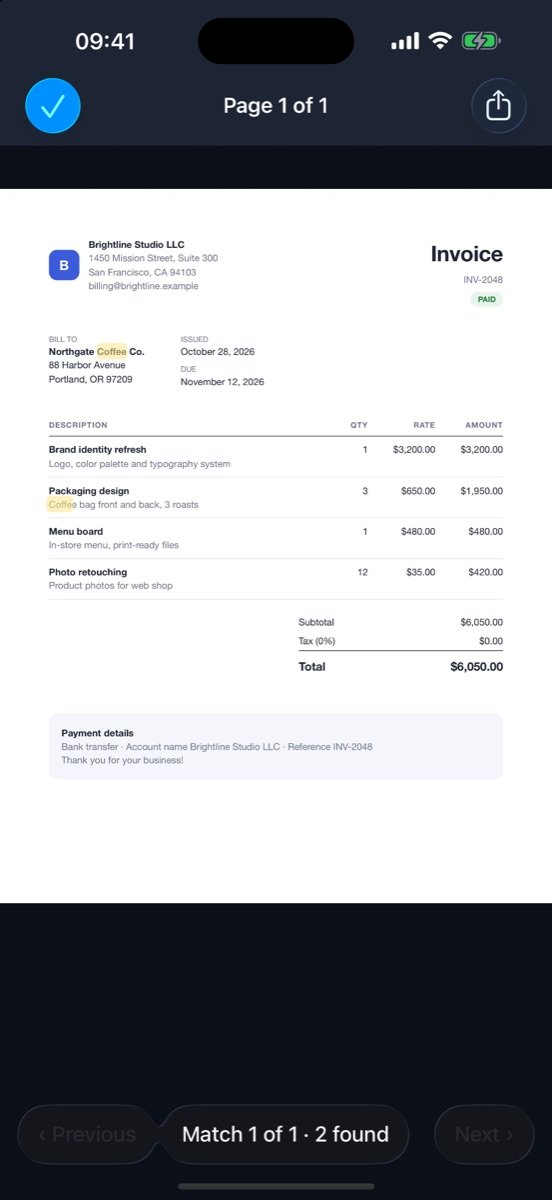
Search the text inside every scan and jump to the highlighted match. Add text, dates, check marks and your signature to a PDF right on the phone.
Export as PDF, JPG or Word. Choose paper size, shrink to 1, 2 or 5 MB for email, add a searchable text layer or a password.
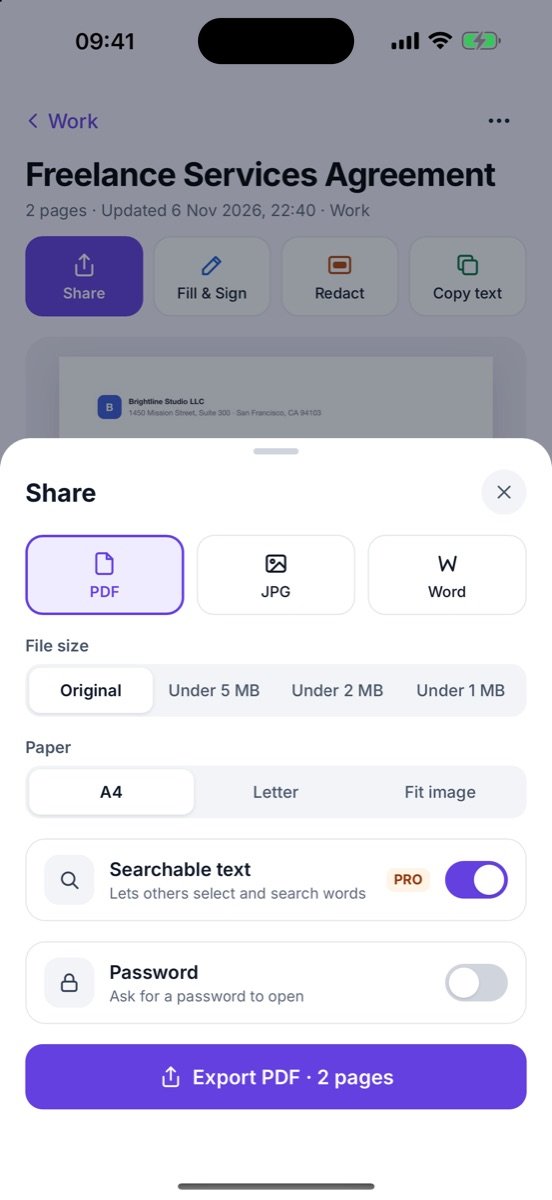
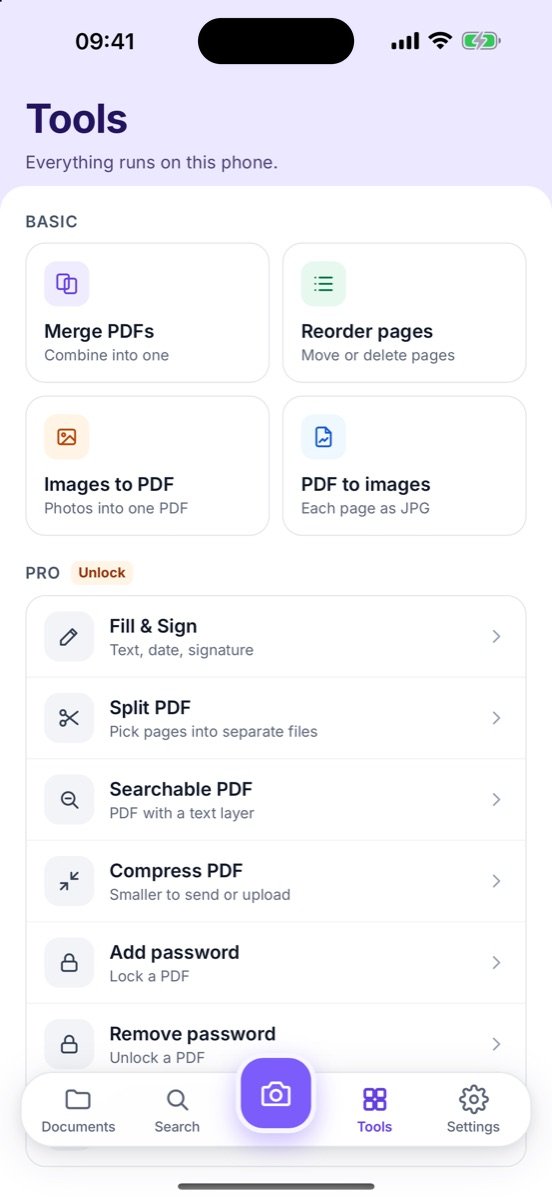
PRO features are free for your first 20 pages, then $7.99 once.
Merge, split, reorder and compress PDFs. Turn photos into a PDF or a PDF into images. Lock a file with a password, or lock the whole app with Face ID.
Every word on every page is searchable, with the match highlighted on the page.
How it works →Password-protect an exported PDF, or lock the app with Face ID or fingerprint.
How it works →Fill a form, sign it, compress it under 2 MB and send it — without leaving the app or uploading the file anywhere.
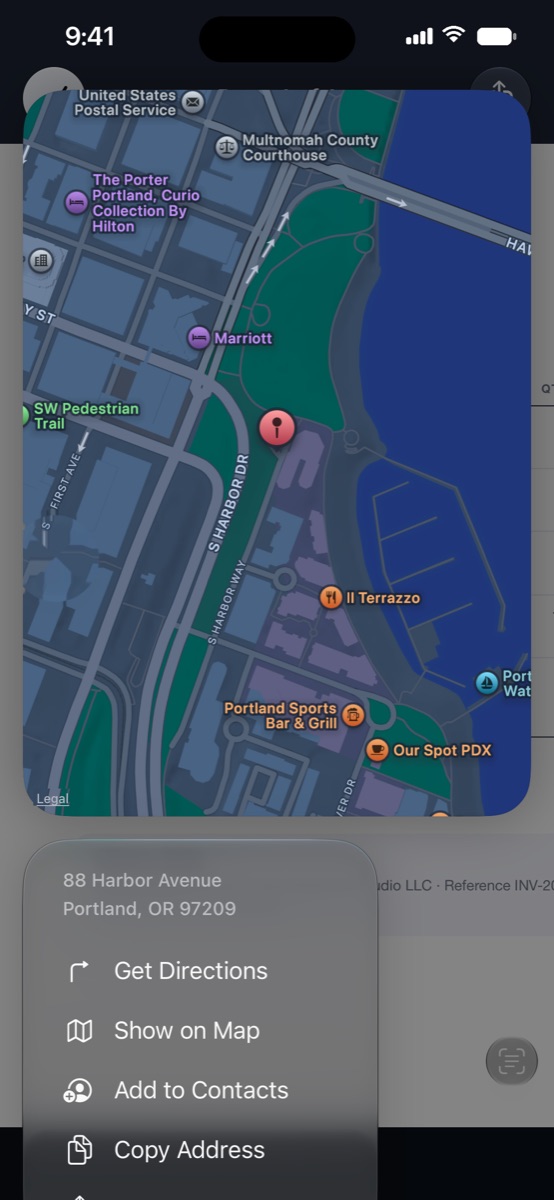
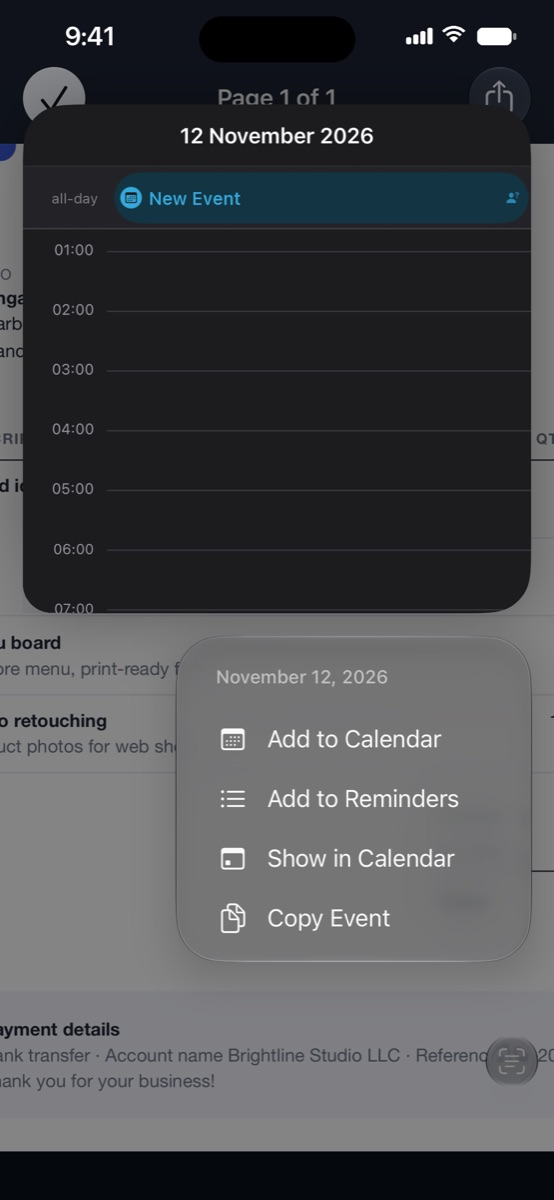
Scanned pages become something you can act on: addresses open in Maps, dates go straight to Calendar, and phone numbers, emails and links are one tap away.
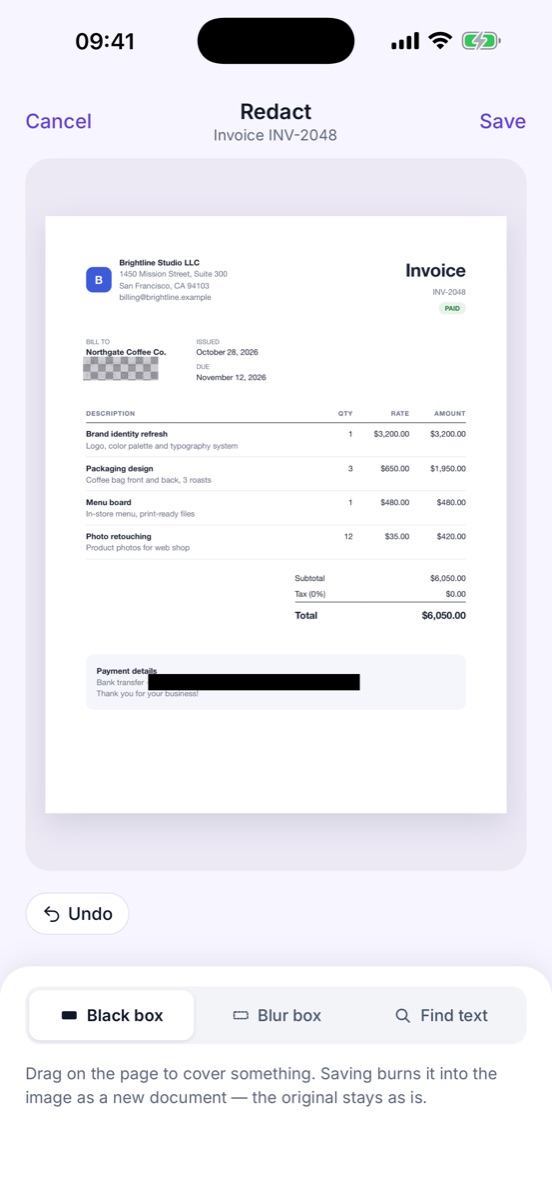
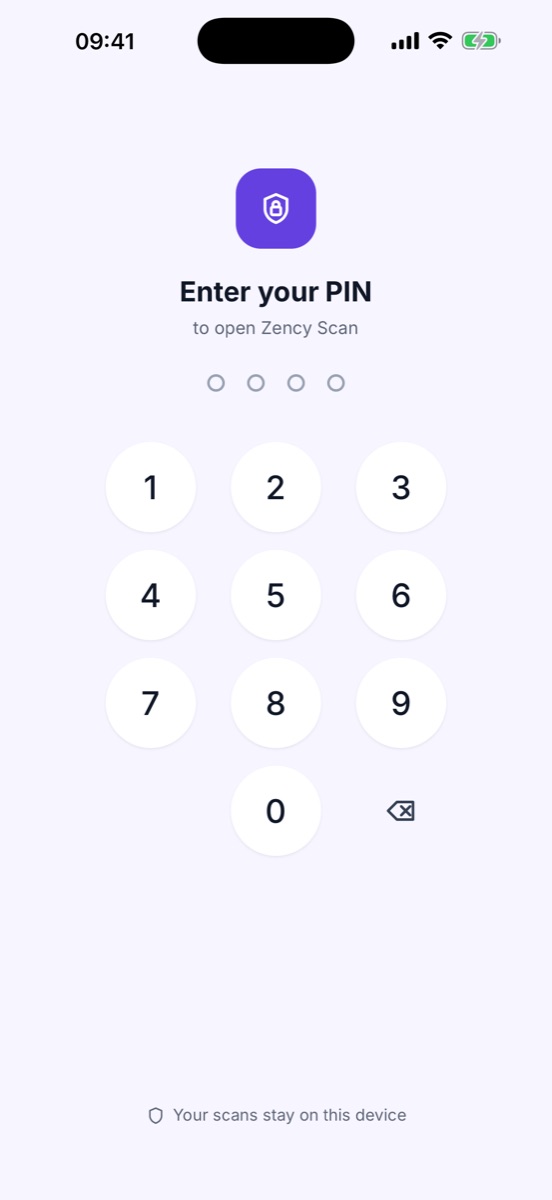
Cover an account number with a black or blurred box before you send a page — it is burned into a new copy, the original stays untouched. Then lock the whole app with a PIN or Face ID.
Each mode is tuned for its kind of paper — both sides of an ID card land on one A4 page. And a small reward along the way: Zency Scan keeps count of the paper you’ve saved.
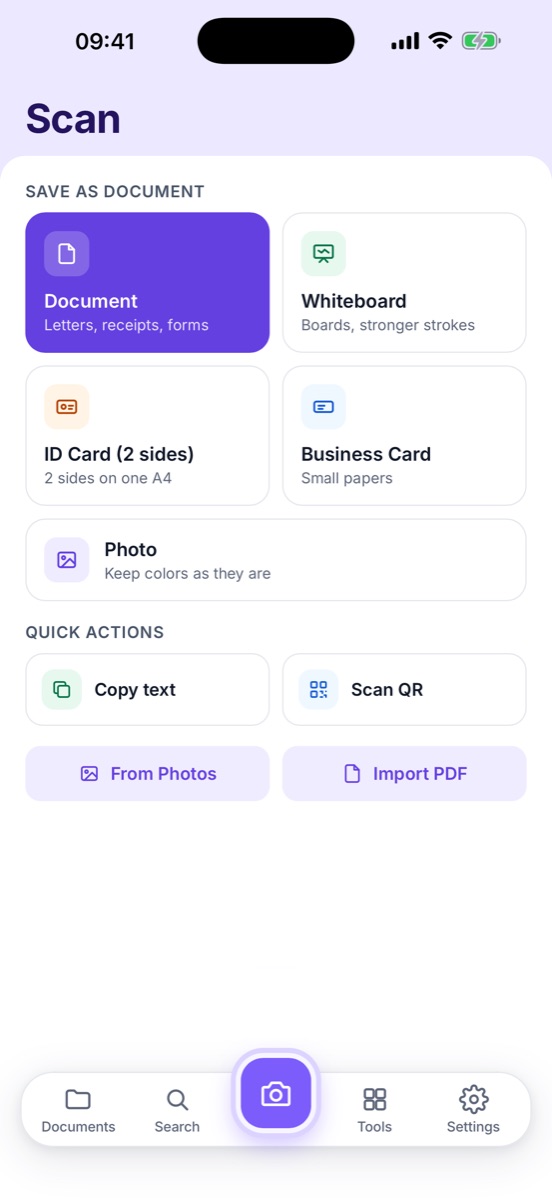
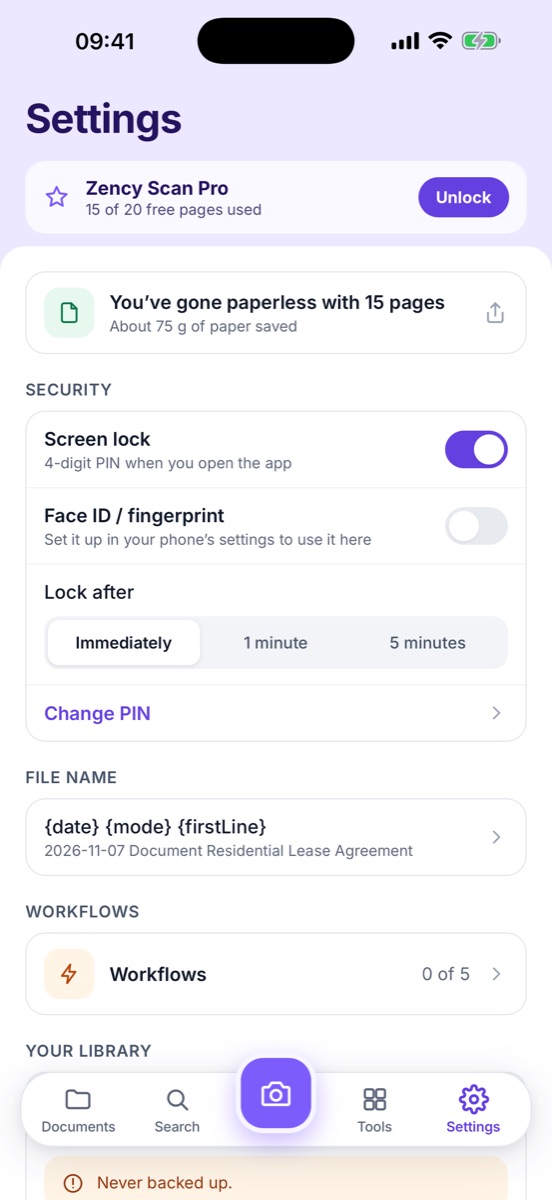
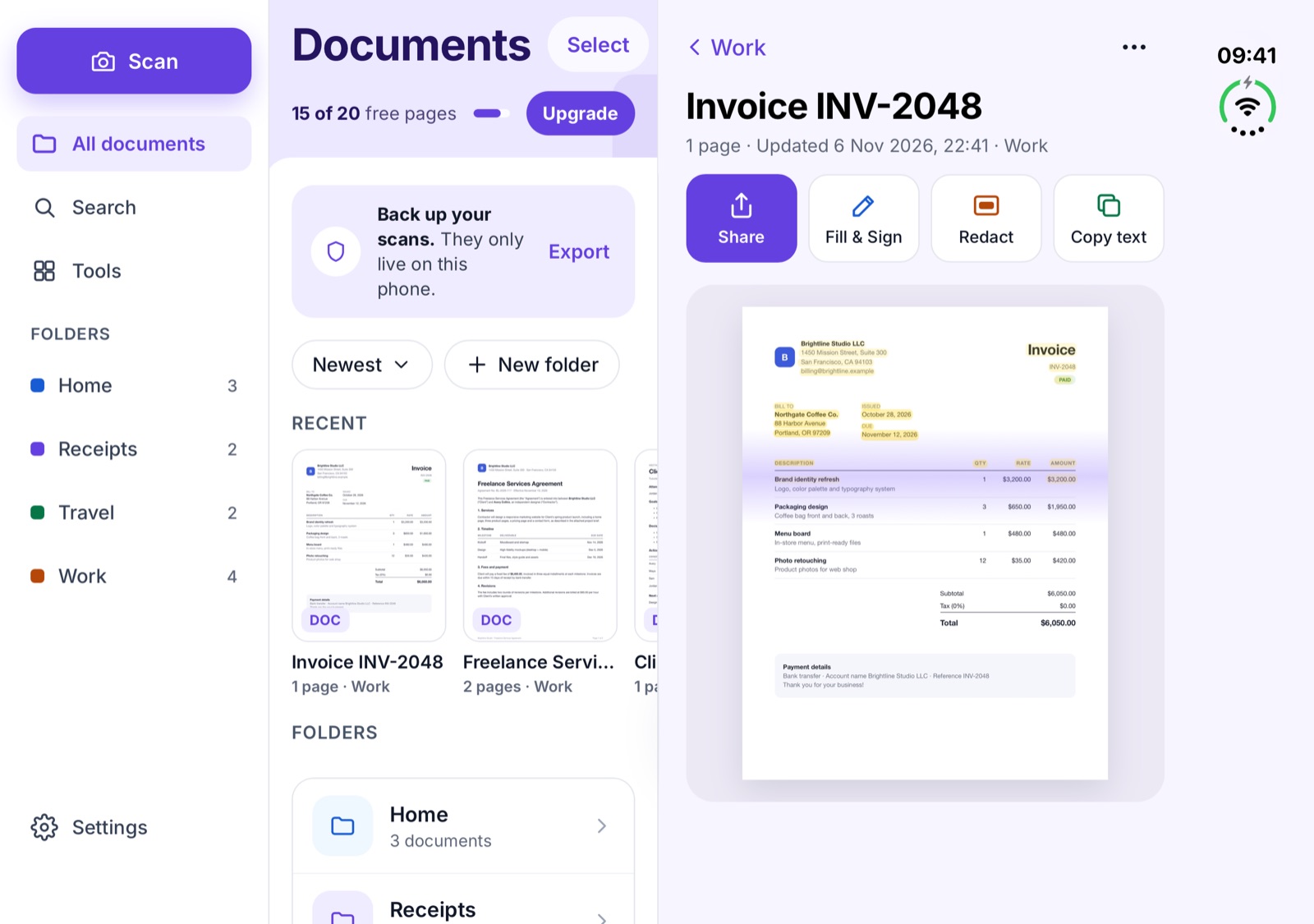
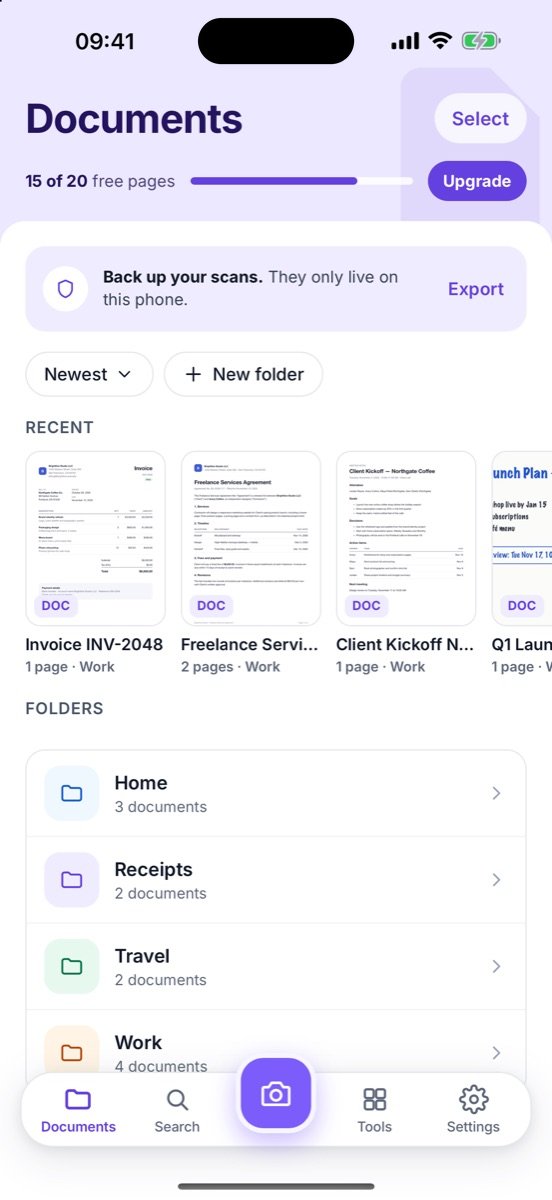
Soft lavender, one violet accent, color-coded folders — and no pop-ups fighting for your attention. On the unfolded iPhone Duo or an Android tablet your folders, the document and the page sit side by side.
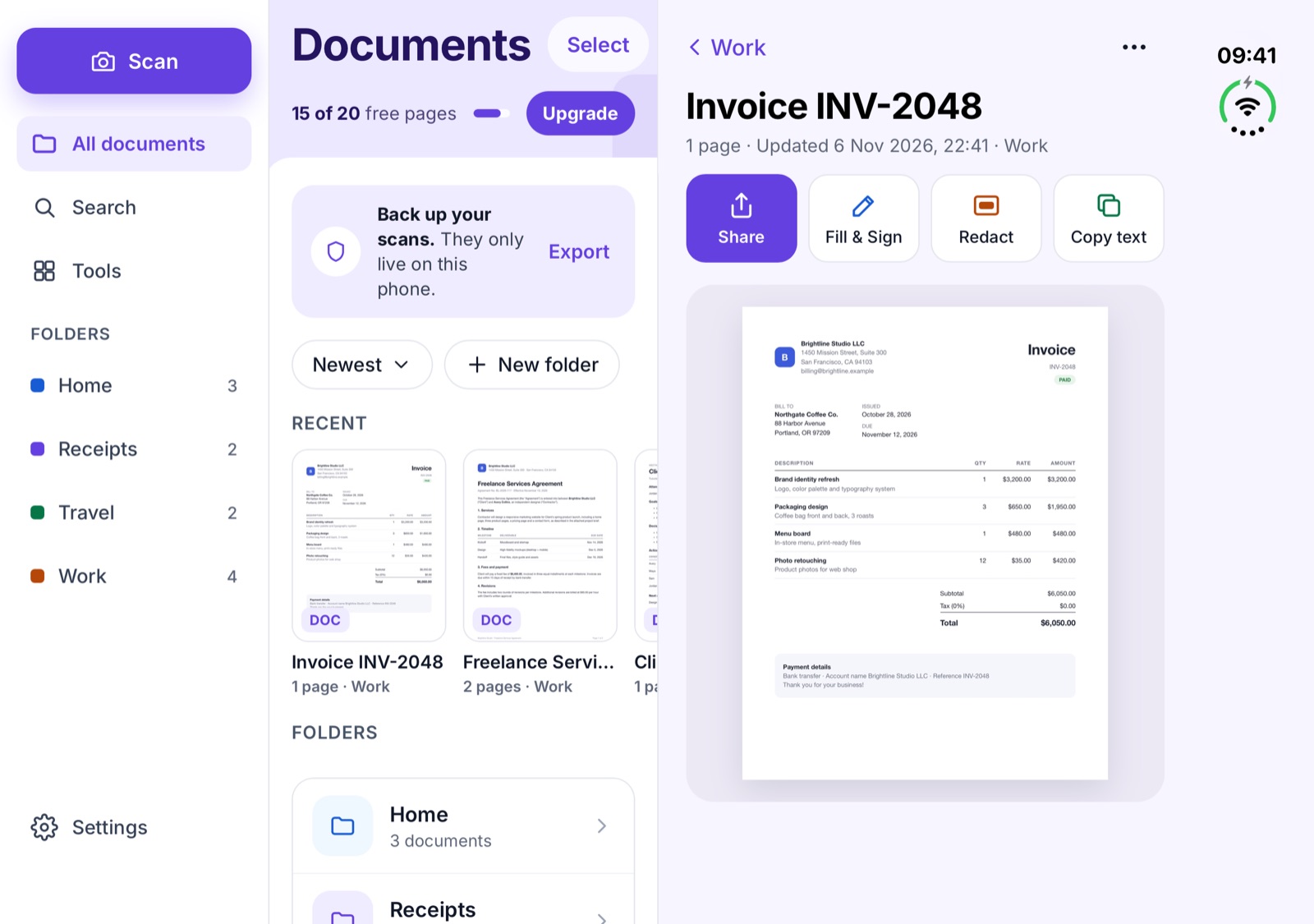
Pick a view below the screen · tap the screen to see it larger.
Passports, leases, pay slips — the papers you scan are often the most personal ones you own.
Open the app and scan. There is nothing to sign up for.
Pages and text stay in the app on your device. You decide when to share or export.
Text recognition runs on your phone, so it works offline — on a plane, in a basement, anywhere. (On Android, the first scan may need a connection once to download the scanner module.)
No weekly plan, no trial that turns into a subscription, no watermark.
| Feature | Free (page 21 onward) | Pro |
|---|---|---|
| Scan, import PDFs and photos, all modes and filters | ✓ | ✓ |
| Edit pages: crop, rotate, reorder, delete | ✓ | ✓ |
| Export PDF / JPG without watermark | ✓ | ✓ |
| Folders, pin, search by name | ✓ | ✓ |
| Merge PDFs, images ↔ PDF, export by size (1 / 2 / 5 MB) | ✓ | ✓ |
| Recently Deleted (30 days), full library export / import | ✓ | ✓ |
| Search inside scans | Shows how many pages match | ✓ Open + highlight |
| Copy text / Live Text | — | ✓ |
| Export to Word, searchable PDF | — | ✓ |
| Fill & sign, redact, split, compress, password | — | ✓ |
| App lock (PIN, Face ID / fingerprint) | ✓ | ✓ |
| One-tap workflows | 1 | 5 |
Pro restores on a new phone with the same Apple ID or Google account. Prices are in US dollars; the store shows the price for your country.

Coming soon to the App Store and Google Play.
Need a full private vault for IDs, receipts, warranties and reminders? Meet Zency →